
All the Samsung and Google Apps You Can Find on the Galaxy XR
Welcome to the dawn of a brand-new spatial universe. Samsung’s Galaxy XR headset is where your everyday Android apps jump off the screen and become floating software constellations you can swipe, grab, and interact with.
To build this portal to the future, Samsung teamed up with Google to bring the best of two digital worlds together: Samsung’s ecosystem power and Google’s Android XR foundations. The result is a headset that knows your Galaxy phone’s habits but also speaks fluent Google.
This guide breaks down every Samsung and Google app you’ll be able to run on the Galaxy XR, plus XR-specific apps to get excited about next.
How Apps Work Differently in XR
The Galaxy XR runs Android XR, a spatial version of Android. And not all apps come in the same flavor. Inside the headset, apps can appear as:
1. Fully immersive XR apps
You walk into them. They surround you. They support hand tracking, 3D interactions, and spatial audio.
2. Floating 2D windows
Standard Android apps become giant, resizable screens you can pin in the air. Imagine your laptop screen but multiplied and weightless.
3. Hybrid / XR-optimized apps
These blend immersive features with familiar UIs. Example: YouTube on a huge wall or a wraparound 360° view.
The magic is that the Galaxy XR gracefully shifts between all three modes depending on the app’s capabilities.
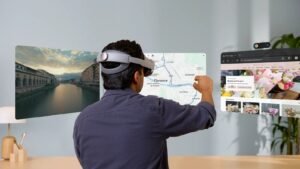
Samsung Apps on Galaxy XR
Samsung ensures that the headset feels like a true member of the Galaxy family. Expect preinstalled apps including:
Bixby
Samsung’s voice assistant now floats beside you, ready to help without reaching for a phone.
Samsung Camera
Supports passthrough recording and mixed-reality lenses, letting you capture reality infused with digital magic.
Galaxy Store
Home of curated XR software, Samsung exclusives, and optimized apps.
My Files
A spatial file manager where folders float like digital filing cabinets.
Samsung Calendar
Quickly pin your schedule in your actual room so deadlines quite literally stare back at you.
Galaxy Avatar
Create a digital you that moves, talks, and joins social mixed-reality spaces.
And of course… the foundational system apps:
- Samsung Settings (for sensors, displays, privacy)
- Samsung Account
- Health and Wearable connectivity
- SmartThings for smart home control
This lineup gives the XR headset a true Galaxy identity rather than just being “an Android viewer.”
Google Apps and Services You’ll Find on Galaxy XR
Here’s where the headset flexes its Android XR muscles.
Google Play Store
Your gateway to XR games, media apps, and productivity tools.
YouTube
Watch creators on a cinema-sized floating screen or teleport into fully immersive 360° videos.
Google Maps
See 3D landmarks like miniature dioramas, or view real-world overlays while navigating.
Google Photos
Walk through memories. Photos become screens floating around you. 360° photos turn into spheres you can step into.
Chrome
Browse the web in multiple floating windows. The future of multitasking is literally spatial.
Gmail, Google Calendar, Drive
Keep work hovering quietly in your peripheral vision until needed.
Google and Samsung together bring familiar productivity into a brand-new dimension.
XR-Optimized Apps and Games to Explore
Launching a new XR platform means early adopters get first access to fresh innovations. Expect apps like
Spatial Design Tools
Whiteboards you can sketch on in mid-air or project management spaces where sticky notes float like ideas set free.
Android XR Games
Action adventures using hand tracking, puzzle rooms that fill your real room, and playful experiments with depth, scale, and motion.
Social XR
Hangouts are where Galaxy Avatars meet, talk, and watch content together as if distance has melted away.
Media & Streaming
Spatial movie theaters and VR documentaries that let you experience stories from the inside.
We’re witnessing the rebirth of apps for 3D space instead of flat rectangles.
Samsung vs Google Apps: When to Use Which?
| Need | Best App | Why |
|---|---|---|
| System control & device ecosystem | Samsung Settings, Bixby | Designed for Galaxy hardware |
| Productivity & cross-platform syncing | Google Drive, Gmail | Instantly works across phone + PC |
| Spatial video & immersive viewing | YouTube | VR & 360° champions |
| Smart home actions | SmartThings | Deep IoT support |
| App discovery | Galaxy Store + Play Store | One for Samsung exclusives, one for everything else |
The duo works like two sides of the same coin: Samsung for hardware soul and Google for software reach.
Tips for Managing Apps Inside XR
To keep your spatial world neat and powerful:
- Pin apps to spots in your room so they’re there when you return
- Run productivity apps side-by-side like multiple monitors
- Check app updates often; XR features evolve fast
- Manage sensor permissions for privacy (camera + mic always active in passthrough)
Your workspace becomes a personal digital solar system where you choose what orbits what.
What’s Coming Next?
Expect:
- Gemini AI enhancements for more conversational control
- More cross-device continuity with Galaxy phones and watches
- Popular Android apps rolling out full XR-native versions
The ecosystem is just being born, and it’s already dazzling.
Final Thoughts
The Galaxy XR is more than hardware. It’s an app universe curated by two tech giants that usually compete but here collaborate like head chefs preparing the future’s menu.
With Samsung’s spatial UI expertise and Google’s Android XR ecosystem, the headset launches with:
- A strong foundation of familiar apps
- A growing library of spatial experiences
- Massive potential for the way we work, learn, play, and imagine
Your digital world now has depth. And it’s only getting deeper.
RRB Official website:: CLICK HERE
Current Affairs: Click Here
Job Updates: Click Here
SSC Official website: Click Here